You decide where you deliver and how much you charge. The menu works out the fee by itself, the dashboard separates what is in the kitchen, ready and on the road, and the customer follows along without calling.
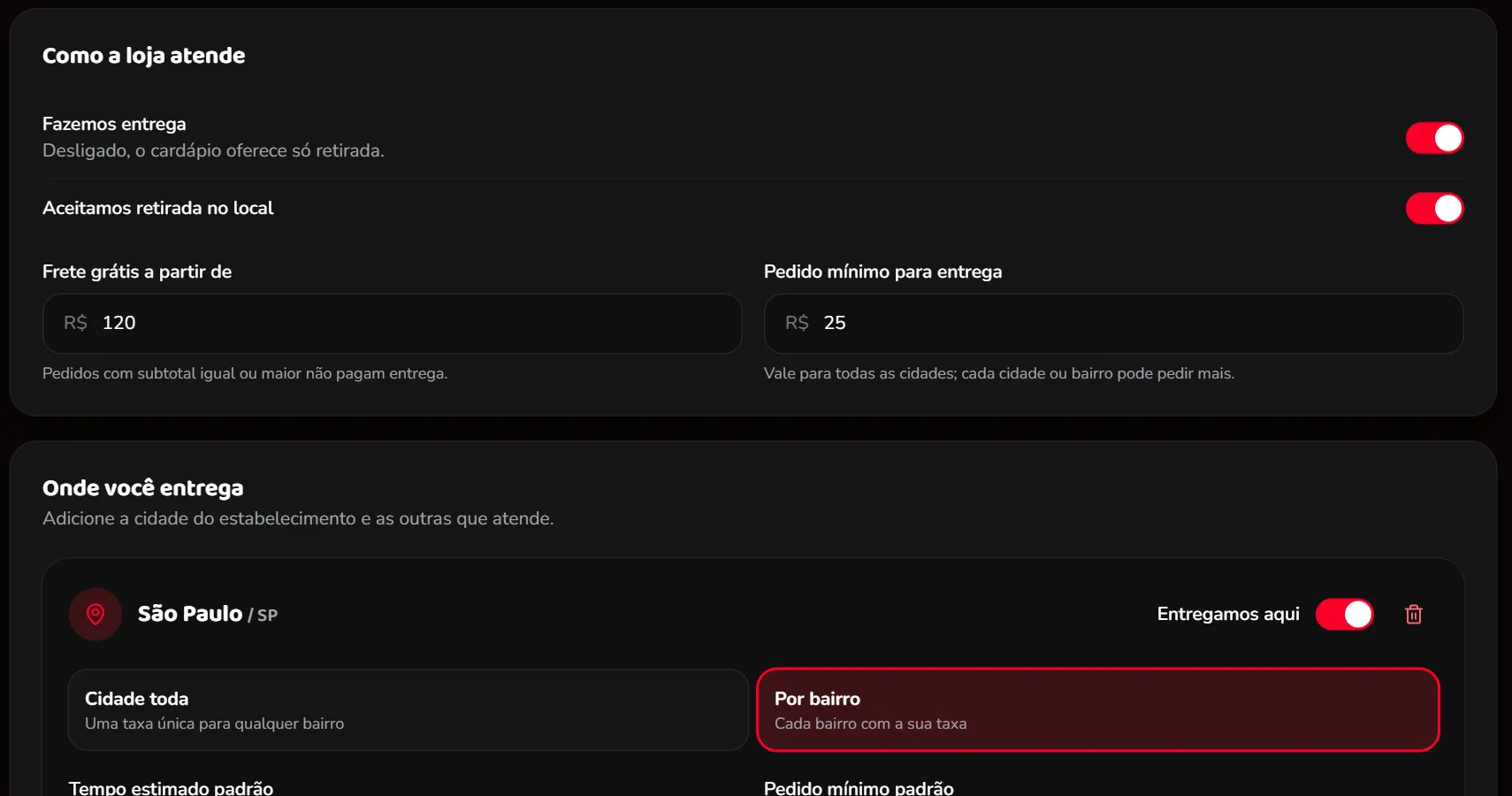
A fee by city or by neighborhood, the way you already charge
The whole city or neighborhood by neighborhood: one flat fee or one for each neighborhood, with a fee for neighborhoods not on the list if you want.
Time and minimum order per neighborhood: a faraway neighborhood can have a longer lead time and a different minimum.
Free delivery above an amount and a general minimum order for delivery.
Counter pickup can stay on alongside delivery. On the menu it shows up with no fee.
Several cities, each with its own rules.
In the dashboard (interface in Portuguese):Configurações › Taxa de entrega
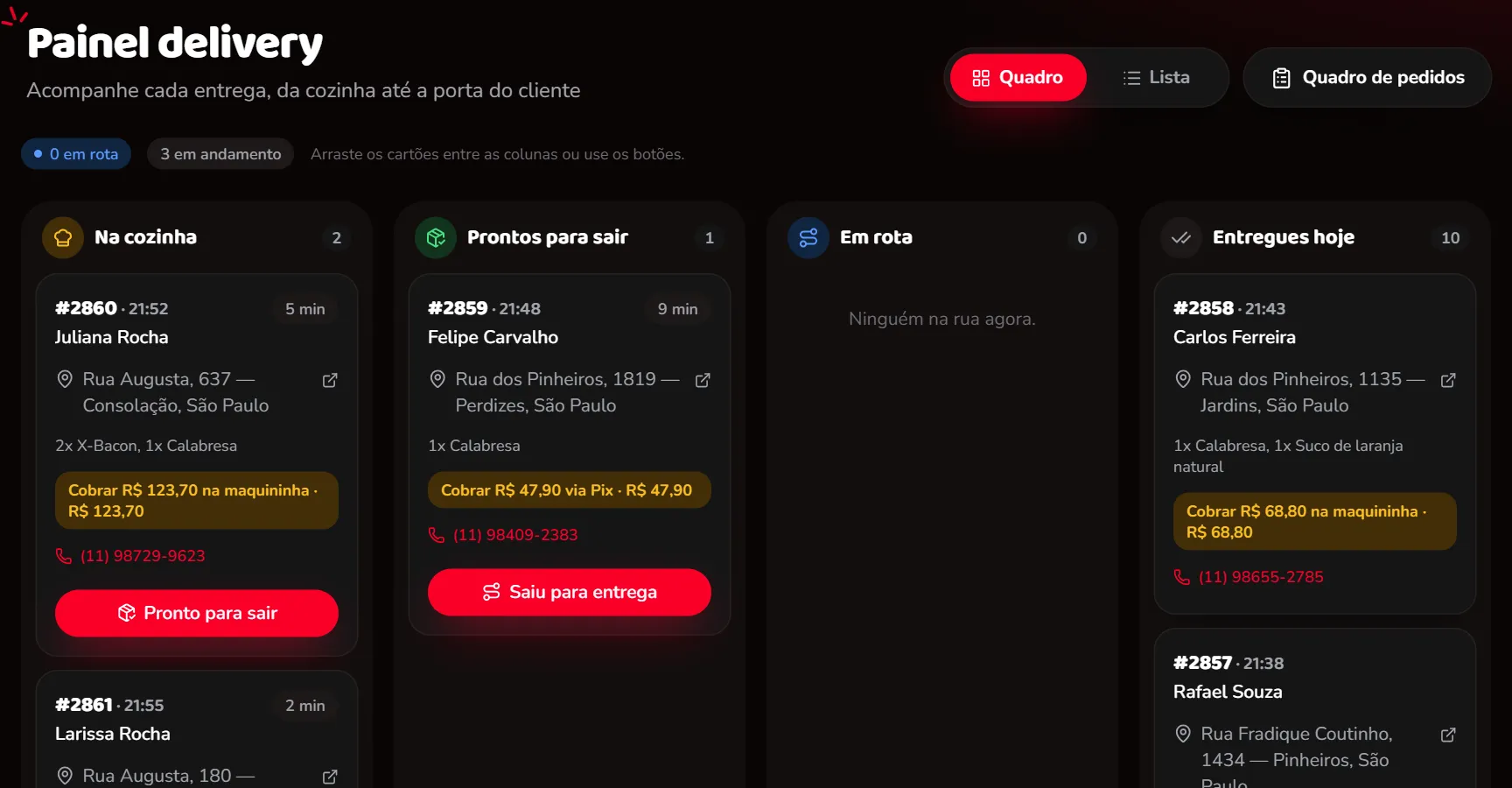
Dashboard screen with sample data from the demo.
Try the rule the way the customer would see it
The calculation below is the same one the menu and the server run. The city and the amounts are made up just for the demo: change the neighborhood and the products total and watch the fee, the time, the free delivery and the minimum order.
Illustrative example: made-up values for this demo. The real dashboard and menu are in Portuguese.
R$10R$150
Free delivery from R$90
General minimum order of R$25 (Jardim das Flores asks for R$40)
Distrito Industrial is paused
Neighborhoods not on the list pay R$12
What the customer sees on the menu
Delivery feeR$5.00
Estimated timeabout 25 min
Order totalR$65.00
The time is informational only. The server redoes this calculation when the order is sent.
From the kitchen to the door
A single board for deliveries
The delivery board shows four columns: In the kitchen, Ready to leave, On the way and Delivered today. Each card has the address with a shortcut to open it on the map, the customer’s phone number and how much to collect on delivery, already with the payment method (card machine, Pix or cash). Try moving an order:
Illustrative example with made-up orders. Tap the buttons to move the cards. The real dashboard is in Portuguese.
In the kitchen 2
#231 Ana 12 min ago
Rua das Palmeiras, 120, Centro
Open in Google Maps
Collect R$54.90 by card machine
#232 Bruno 8 min ago
Av. Brasil, 45, Vila Nova
Open in Google Maps
Paid online: do not collect
Ready to leave 0
No orders
On the way 1
#229 Carla 31 min ago
Rua do Sol, 300, Jardim das Flores
Open in Google Maps
Collect R$38.00 in cash
Delivered today 0
No orders
In the dashboard (interface in Portuguese):Vendas › Delivery
Departure and delivery on record
Anyone on the team with dashboard access marks “Out for delivery” and “Delivered”. There is no courier registration and no order assigned to a person.
WhatsApp notice
With a connected number, the customer gets a message that the order has left. You choose which steps send a notice.
Customer tracking
The confirmation screen shows Order received, Preparing, Ready or on the way, and Delivered, and updates by itself.
Rating after delivery
Once it reaches Delivered, the customer gives stars and leaves a comment right there.
Tracking
Follow the courier, if you want to
Tracking comes turned off. Once it is on in Settings, you tap Share tracking on the delivery board, pick the ready orders and send the courier a link. They open it on their phone, read a short notice and tap Start. No account and no app needed.
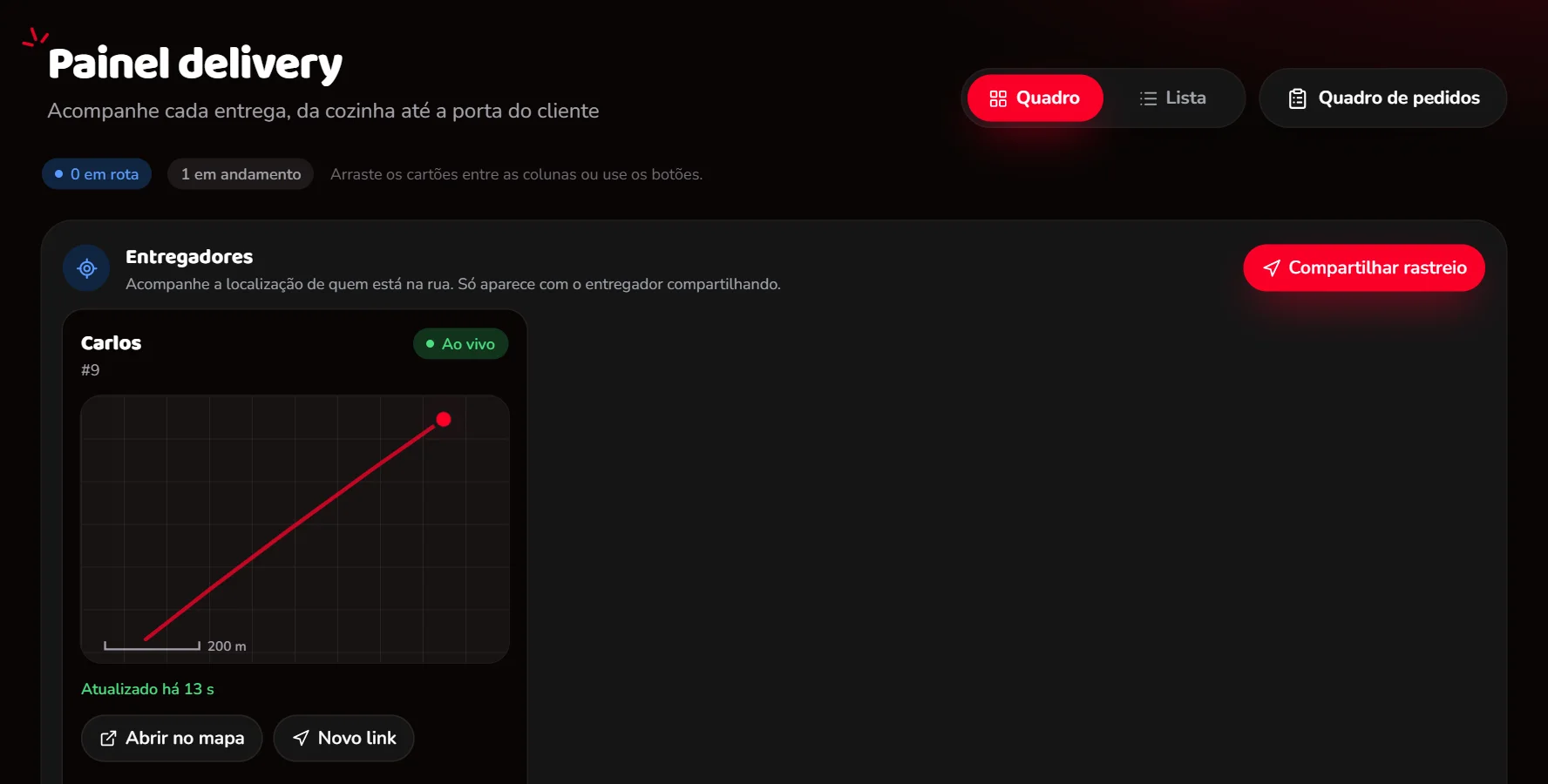
For the store: one card per courier, with the signal status (live, outdated, connection lost, permission denied), the age of the last position and a simple map with the recent route.
For the customer: only their own delivery, while the order is on the way, with no courier name or phone number. An old position never shows up as real time.
Privacy: collection starts when the courier taps Start and ends with the delivery, when they tap Stop, or after 6 hours at most. The route is deleted at the end.
In the dashboard (interface in Portuguese):Configurações › Rastreio de entregas or Vendas › Delivery › Entregadores
Dashboard screen with sample data from the demo.
What changes with the signal
The server decides the status using its own clock, never the phone’s. Up to 45 seconds after the last update, the delivery is live. Between 45 seconds and 5 minutes, it shows as outdated, with the age of the position. After that, the connection is considered lost. Play with the controls:
Pick a situation and see what the store and the customer see
45 s5 min
Live20 s ago
The store sees
The last position on the map, labeled with its age (20 s ago). Only in this case does it show as live.
The customer sees
Position on the map. The courier is on the way. The position updates every few seconds.
What the courier reads before starting
Before sharing, the courier sees a short notice: why the location is used, who sees it, when it starts and ends, how to grant permission, what happens if the connection drops and what is kept. The acceptance is recorded and, if the text changes, they have to accept again.
Questions about this feature
Does the customer see the fee before placing the order?
Yes. When they pick the neighborhood for delivery, the menu shows that neighborhood’s fee and warns if the order has not reached the minimum yet. At confirmation, the server checks everything again.
Do I need to register couriers?
No. Anyone on the team records the departure and the delivery on the delivery board. Tracking, if you turn it on, uses a link with the name you type, with no registration.
Does it work with an outsourced courier or a delivery app?
PromtuFood does not connect to delivery apps. Whoever takes the order can be on your team or outsourced: someone at the store records the departure and the delivery on the dashboard.
Can I charge by distance?
No. The fee is set by city or by neighborhood, and there is no radius, kilometer or postal code.
To check the details
Feature sheet for this page
Requirements, limits and the path in the dashboard for each feature. Open the ones you need.
Delivery fee by city and neighborhoodReady to use
Delivery and pickup with a fee, estimated time and minimum order per city or neighborhood, plus free shipping above an amount.
Works with the restaurant’s own setup.
What it does
Several cities, in whole-city mode or neighborhood by neighborhood, with a fee for neighborhoods not listed.
A general minimum order and one per area (the higher applies) and free shipping above an amount.
A simulator on the screen itself and fee calculation on the menu.
What must be ready first
Administrator or manager profile.
Limits
No radius, kilometers or postal code.
The estimated time is informational only.
The neighborhood is matched by text: a typo falls into “other neighborhoods”.
In the dashboard (interface in Portuguese):Configurações › Taxa de entrega